Bring your Hevy history Free
Import your Hevy sessions into Block. You check every exercise before anything is saved. Nothing changes in Hevy.
The import is free, with or without Block Pro.
- Squat (Barbell)becomesBack Squat (Barbell)
- Bench Press (Barbell)staysBench Press (Barbell)In the library
- Bent Over Row (Barbell)becomesBent-Over Row (Barbell)
- Incline Dumbbell PressbecomesIncline Bench Press (Dumbbell)
- Butterfly (Pec Deck)becomesPec Deck (Machine)
- Zercher Squat (Barbell)becomesZercher Squat (Barbell)New custom exercise
Export a file, or use a key
Open Import from Hevy in Plan > Add workouts, or in Today > Settings. Then pick one of the two ways.
The CSV export
Brings your sessions.
In Hevy, open Profile > Settings > Export & Import Data > Export Data > Export Workouts.
Save the file to Files.
In Block, tap Choose Hevy CSV, then choose the file.
Under Reuse as workouts, select the workouts you want to lift again. Block makes each one from its latest session.
A Hevy API key
Brings your sessions, and your routines as workouts in their folders. The API key is a Hevy Pro feature.
Get your API key at hevy.com/settings?developer.
In Block, paste the key and tap Fetch from Hevy.
Block uses the key for this import only and does not store it.
Check every match
Block matches each Hevy exercise to its library. The review screen lists every match before anything is saved.
- As Back Squat (Barbell)The library has the exercise under another name.
- In the libraryThe library has the exercise under the same name.
- New custom exerciseNo match. The exercise comes in as a custom exercise with its Hevy name.
Tap an exercise to change what it becomes. Choose one from the library, or add it as a custom exercise.
Then tap Import. Keep Block open until the import finishes. If it stops, run it again: sessions that are already here are skipped.
Your records come with you
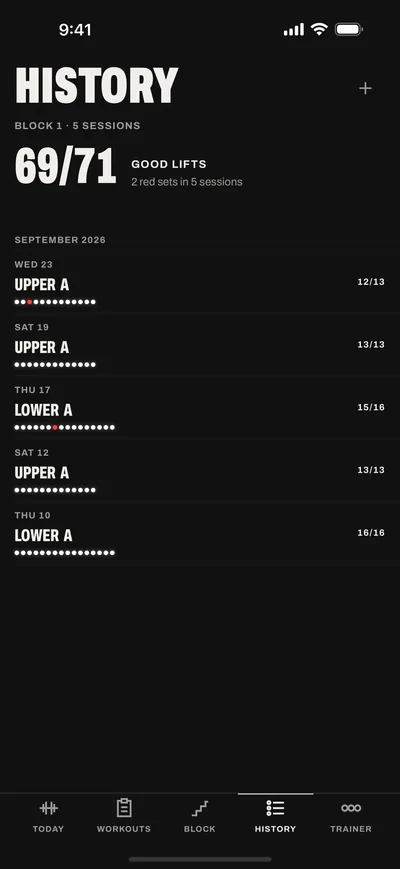
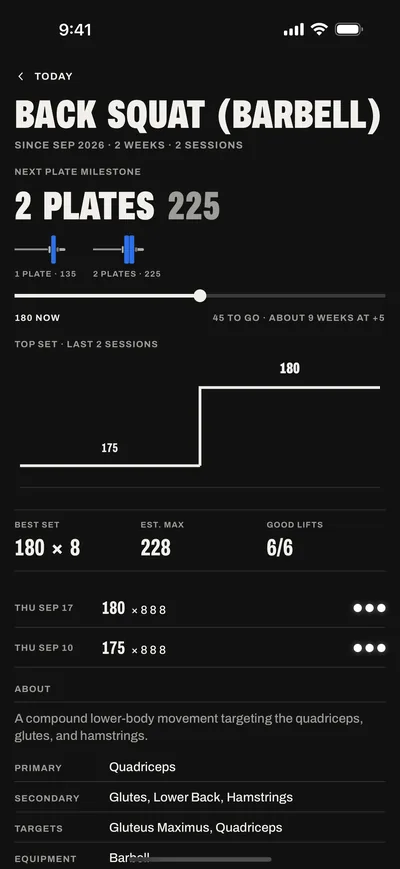
Your charts and records come from the sessions you import. Each lift shows its best set and its estimated max.
Imported sessions show no lamps. With Block Pro, the last imported session of each workout you keep is judged against that workout. The next time you start that workout, Start session saves its calls.
Block Pro is $4.99 a month, or $39.99 a year with a one-week free trial for new subscribers.
Short answers
Does the import change my Hevy account?
No. The import only reads your data. Nothing changes in Hevy.
Can I import again later?
Yes. Importing again skips what is already here. A session from the CSV file and the same session from the API key count as one.
Does Block keep my Hevy key?
No. Block uses the key for this import only and does not store it.
What does the import cost?
Nothing. The import is free. Logging and history are free too.
Hevy is a trademark of its owner. Block is not affiliated with Hevy.